Help › Playing a round
Plot your shots
Plotting is how Interlock gets strokes gained. You tell it where each ball finished; it works out the rest. Do it hole by hole as you play, or afterwards. iPhone.
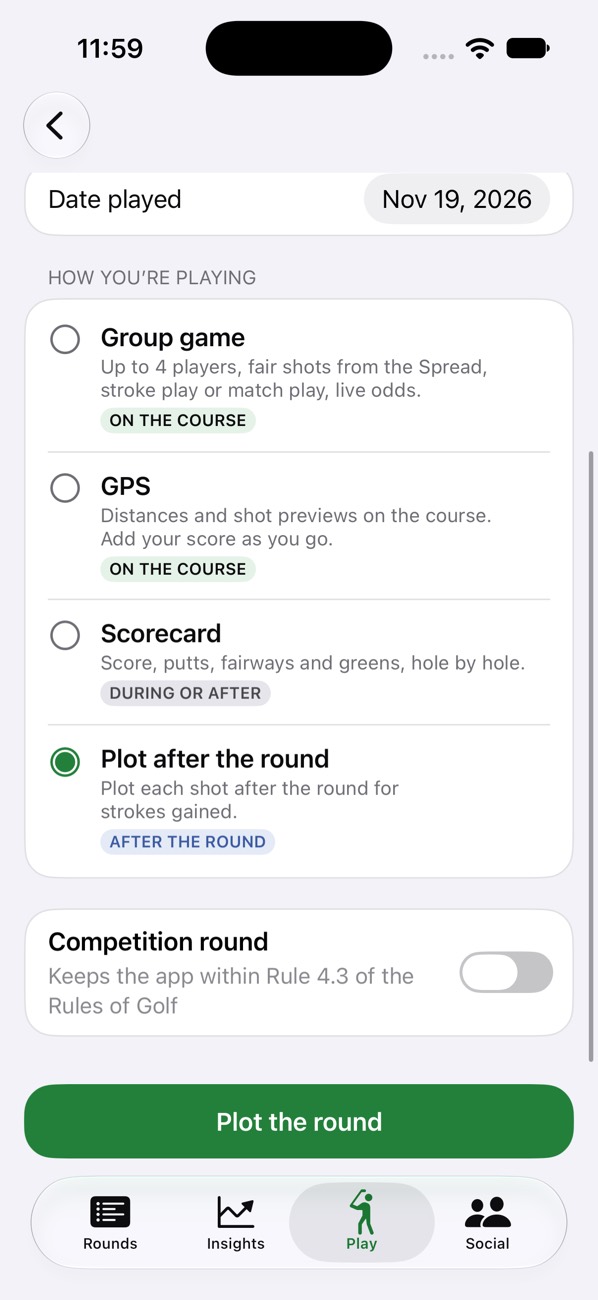
To plot a whole round: on Play, pick your course and tees, choose Plot after the round under How you’re playing, and tap Plot the round. Do it on the course between shots, or later from your couch. You can also plot a hole of a scorecard round from Rounds. GPS rounds only preview shots; to save shots on the course use Add shots as you go.
One hole
-
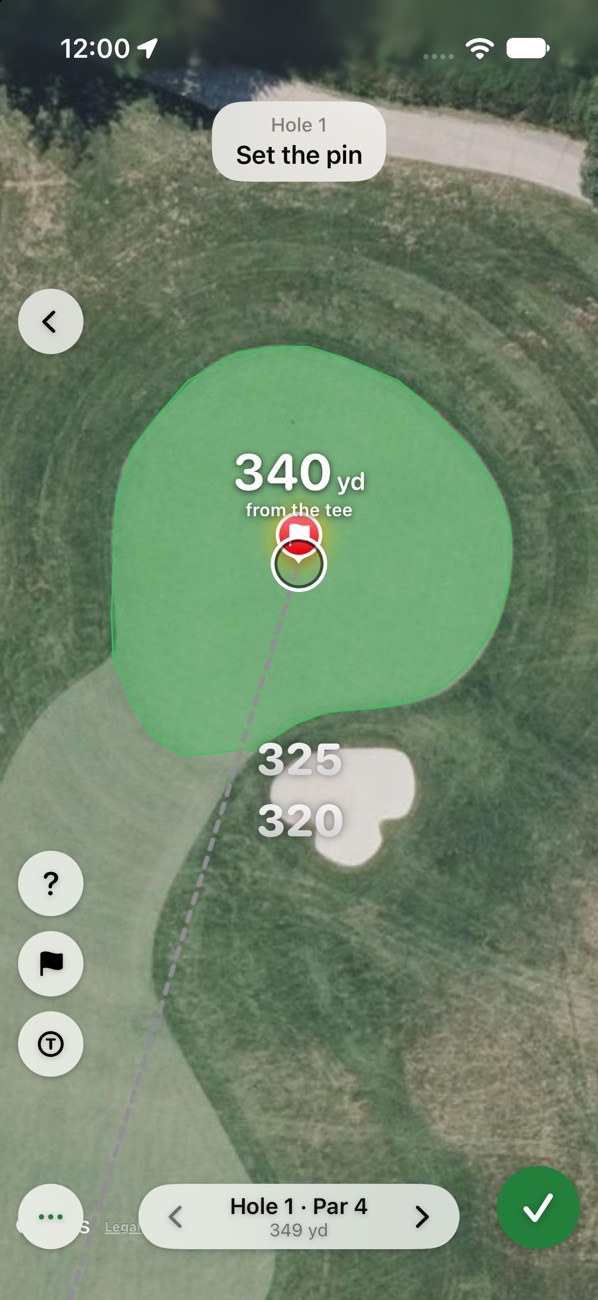
Set the pin. Each hole opens on the green with “Set the pin” at the top. Slide the
map until the ring sits on today’s pin, then tap the green ✓.
Set the pin, then ✓. -
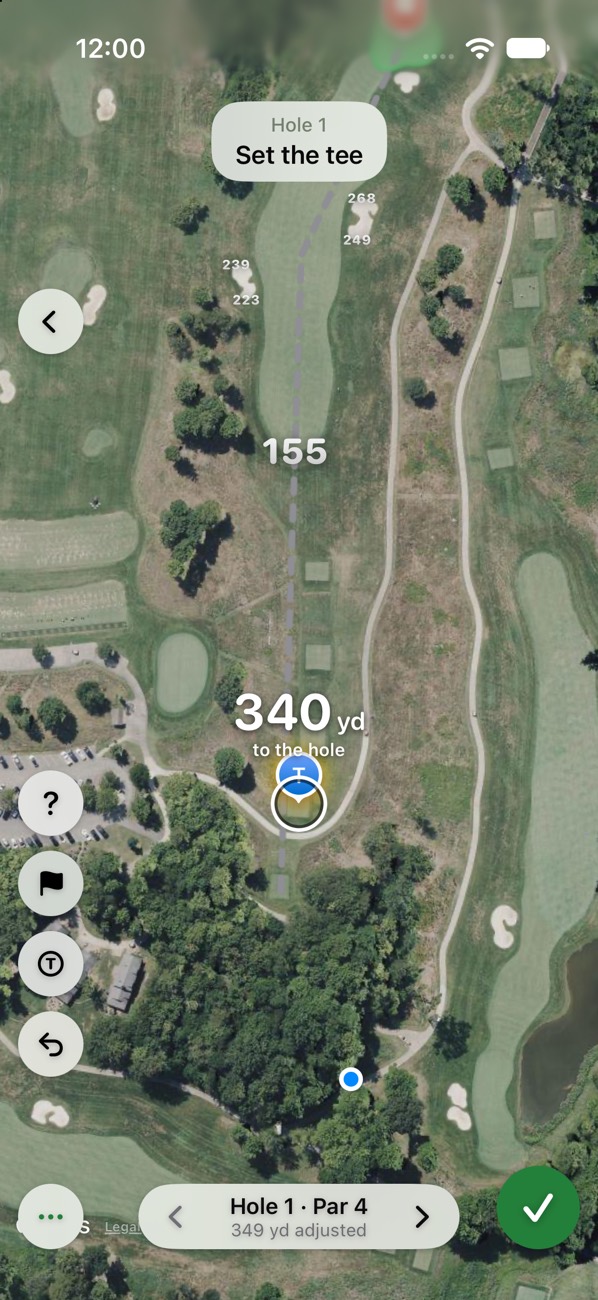
Set the tee. The map moves to the tee and asks “Set the tee”. Slide to where you teed
off and tap ✓.
Set the tee, then ✓. -
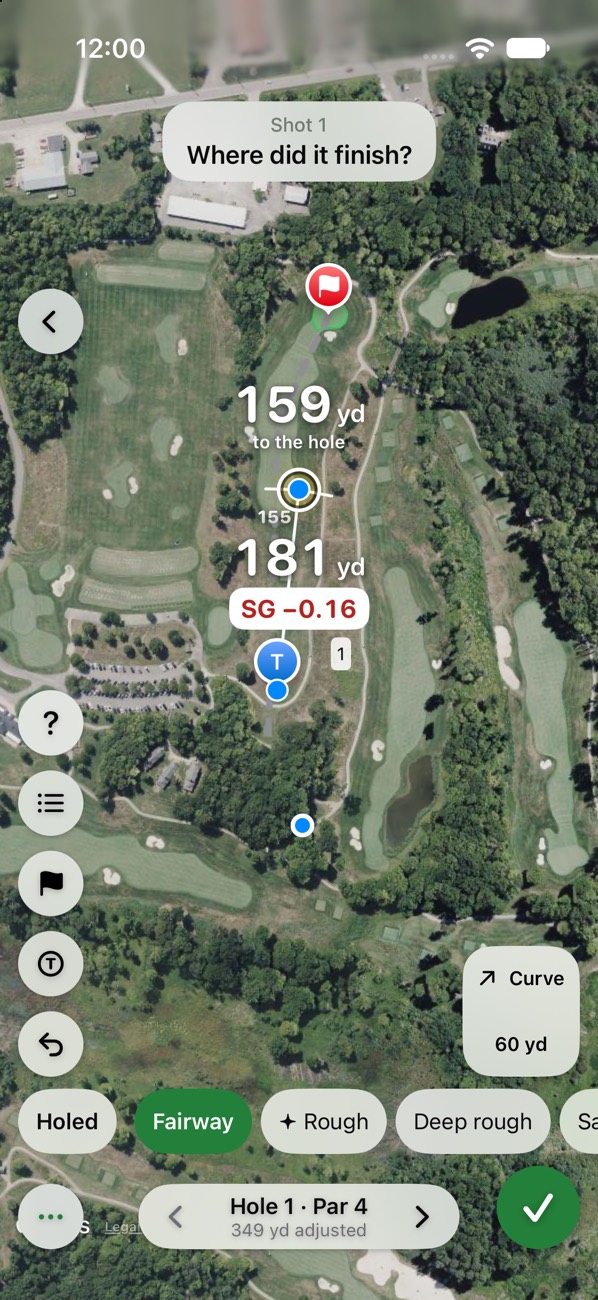
Place each shot where the ball finished. The title reads “Where did it finish?”. Slide the
map until the ring is on the ball’s final spot. The distance from the last spot, the distance
to the hole and the shot’s strokes gained update as you move. The lie is guessed from the course map; tap a
different one in the row of chips at the bottom (Fairway, Rough, Deep rough, Sand and so on) if it’s
wrong. Tap ✓ to save the shot.
Slide to where the ball finished, check the lie, then ✓. -
Keep going until it’s holed. The next shot starts from where the last one finished. For the
last one, slide the ring onto the cup (or tap Holed): the title changes to “Holed in 2”
and ✓ finishes the hole.
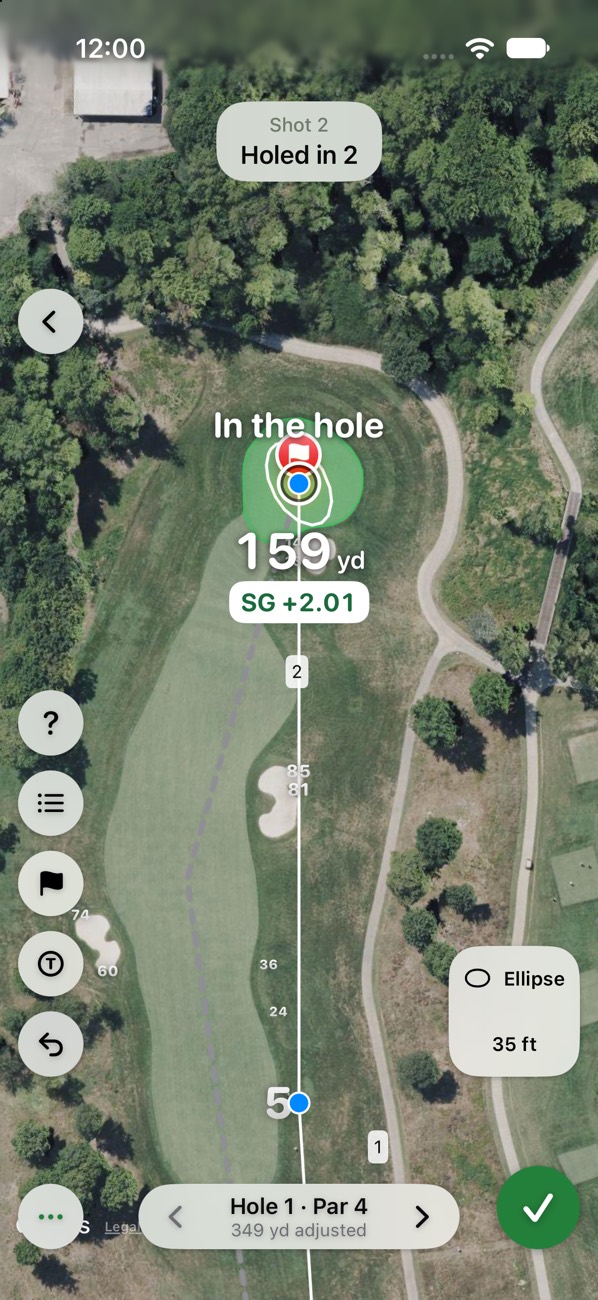
The last shot reads “Holed in”, then ✓. - The next hole opens on its pin. A small chip at the top right keeps your running score (for example “−2, 2 thru 1”). Move between holes any time with ‹ › on the hole pill at the bottom.
If something goes wrong
- Wrong spot: tap Undo (the ↩ button on the left) to remove the last step.
- Pin or tee not where it was today: use the flag and T buttons on the left to move the pin or the tee.
- Picked up: open the ⋯ menu and choose Pick up. The hole is left partial and doesn’t count toward your score.
- Hole not on the map right: the same menu has Move green, Re-frame and Report outdated course map.
Finish the round
Open ⋯ and choose Finish round. It asks you to confirm, and tells you how many holes were left unplayed (for example, “Holes 2–18 stay unplayed”). Holes you didn’t play count for nothing.
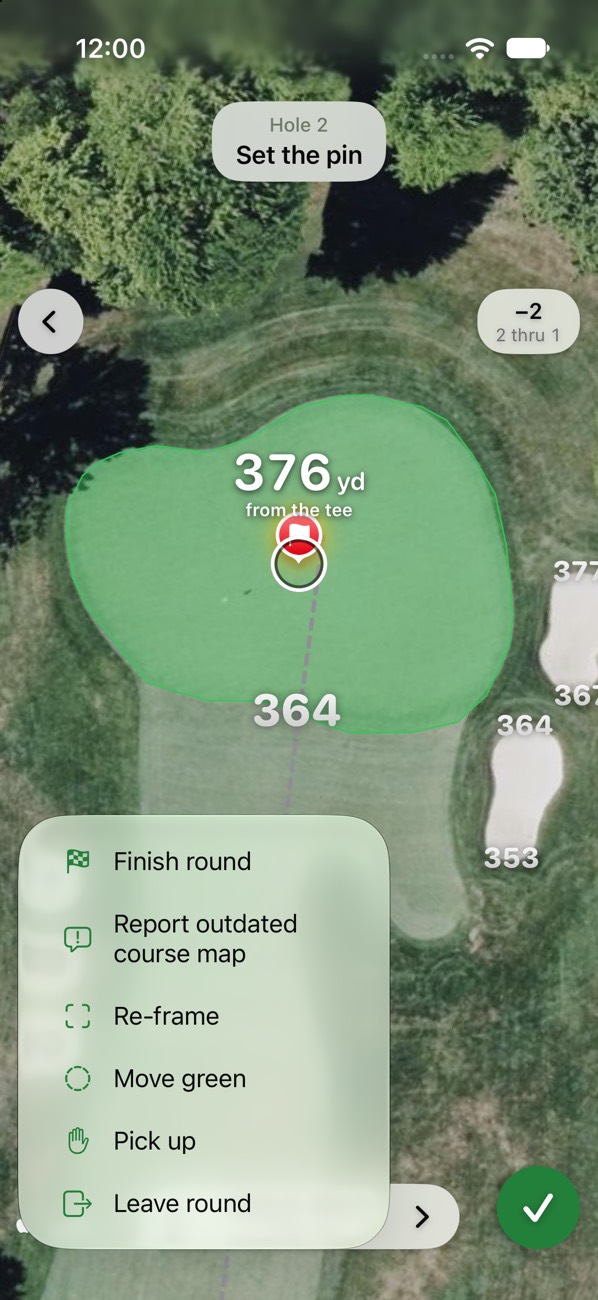
You land on the round summary with your score and strokes gained. Shots save on your phone and sync when you’re online; nothing is lost without signal. To keep playing later, choose Leave round instead and pick it up from Resume on Play.